

🚀 Quickstart
Sign in, add a wallet and ask your assistant your first question
Sign in to Sentio Connect
Open connect.sentio.xyz and sign in. No API key is needed.
Add a wallet
On Home, click Add wallet. Enter an EVM address (0x…), an ENS name (name.eth) or a Sui address, pick one or more chains, and click Add wallet.
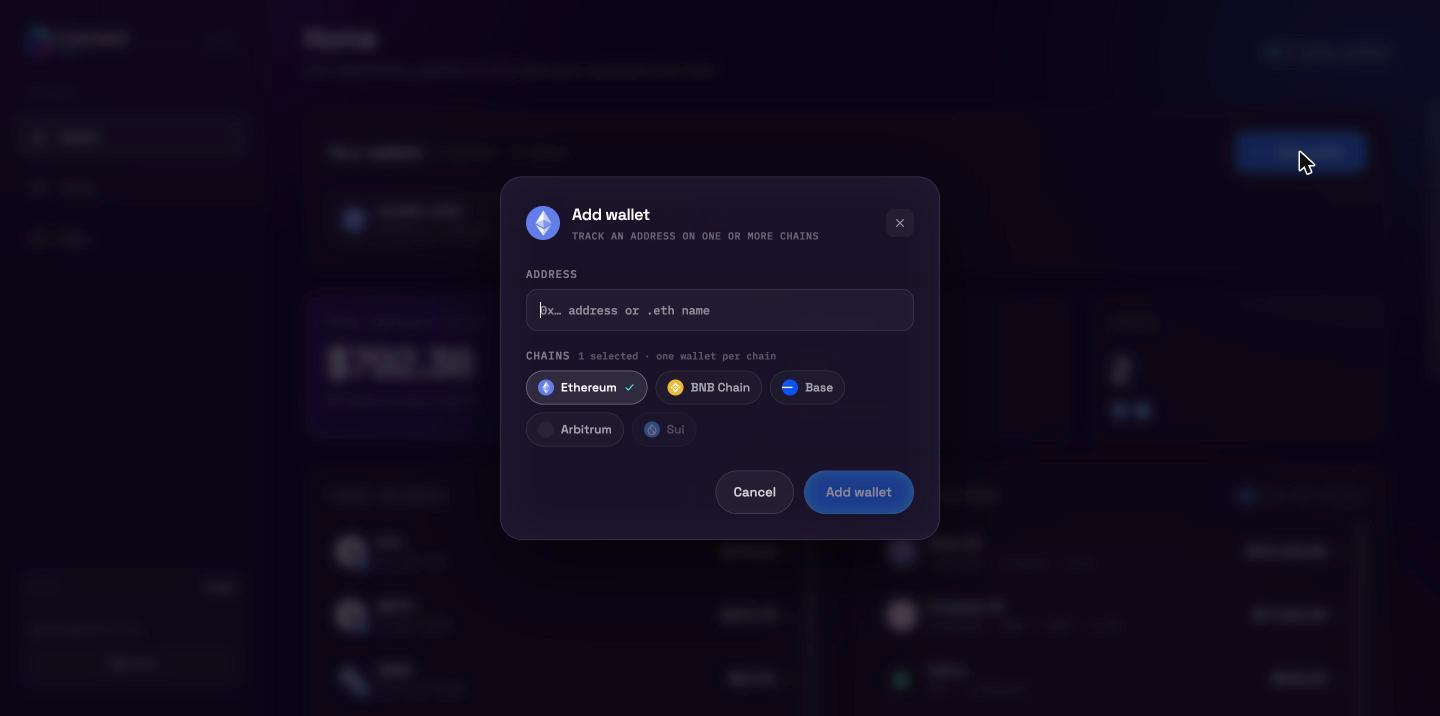
Each wallet appears under Your wallets, and its balances and DeFi positions load below. You can also skip this step and ask your assistant to add wallets for you later.
Add Sentio Connect to your assistant
Add a custom connector (MCP server) with this URL:
https://connect.sentio.xyz/v1/mcpYour assistant opens the Sentio Connect consent page. Click Allow connection. See Connect your assistant for step-by-step instructions for Claude, ChatGPT, Codex and Grok.
Ask a question
Start a new conversation and try:
What's the total value of my tracked wallets, and which tokens make up most of it?
The assistant calls get_portfolio_value and get_wallet_balances and answers with live data. In Claude and ChatGPT, balances and DeFi positions also render as interactive cards right in the conversation.
Example prompts
| Ask | What happens |
|---|---|
| "List my wallets." | list_wallet_addresses |
| "What do I hold on Base?" | get_wallet_balances for your wallets on chain 8453 |
| "What's the price of SUI?" | get_token_price by symbol |
| "Show my Aave and Uniswap positions." | get_defi_positions |
| "How did my WETH change over the past week?" | get_token_balance_history with range: 7d |
"Track 0x… on Ethereum and Arbitrum." | add_wallet_address (needs write access) |
| "Stop tracking my Sui wallet." | remove_wallet_address — most assistants ask you to confirm first |